
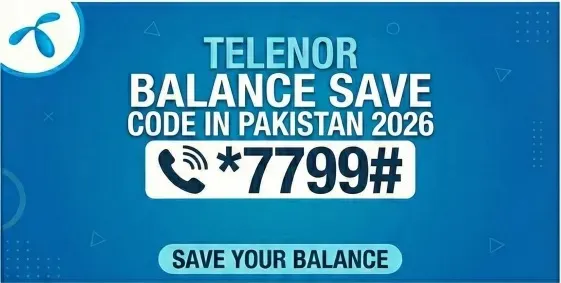
Telenor Balance Save Code – Lock your balance
When you have completed your package and notice your balance mysteriously disappearing. This causes frustration for the people when they use social media, and all that is left is cut. If you have faced this issue, you are not alone; thousands of users encounter it every day. Here we will discuss how to save Telenor balance with code dialing and other alternative methods.
What Is the Telenor Balance Save Code?
The Telenor balance save code lets you save your prepaid balance. While they activate the bundle and turn on data, the balance must remain safe even after the bundle offer expires.
Telenor Balance Save Code: *7799#
After dialing these codes, your background apps will no longer use the balance on your SIM. Once your bundle expires, this will work until you activate the new offer.
Also Read: To check your Telenor balance, please refer to this article.
Why Does Telenor Deduct Balance?
Imagine you are scrolling on social media and you think you have some MBs left. But there is no data on the SIM, so the balance starts to vanish from your sim. So that’s why Telenor and other networks deduct balance.
To solve this problem, Telenor has introduced codes to lock your SIM balance.
How to Save Your Telenor Balance in 2026?
Here are proven and working Telenor balance save codes.
| Method | Activation Code | Validity | Price | Notes |
| Balance Save Lock Code | *7799# | Until Deactivated | Free | Blocks balance usage when the data ends. |
| Telenor Bill Shock Offer | *503# | 30 Days | Rs. 5 | Gives emergency MBs after package expiry. |
| Manual Lock via Helpline | Dial 345 | As Needed | Free | Customer rep locks the internet with the balance. |
| MB & Balance Check | *999# or *444# | Instant | Free | Let’s you monitor remaining MBs. |
| Data Saver via Telenor App | In-App Settings | Customizable | Free | Stops background data consumption. |
Step-by-Step: How to Activate Telenor Balance Save Code
The most secure way to lock your balance is by entering the free code *7799#. Here is how
The code will be saved, and you will get a confirmation message on your phone.
What Is the Telenor Bill Shock Offer?
Think of it like a safety shell for your balance, in just Rs. .5, you can save your balance from unknowing deductions. This will help you even if your data is running out. Here is how to use it
When to use Bill Shock:
This is the best offer for those people who don’t want a deduction from their balance.
Alternative method to save balance via Helpline
This is best for those who are not code fans or whose code is not running on their sim. You can just call 345 and ask for the “balance lock” or internet-cut solution.
Why it matters
So if *7799# doesn’t respond, call 345 and ask for “balance lock / stop unexpected data charges”.
Pro Tips to Avoid Losing Balance
What is the best way to save Telenor balance?
The best way to save the balance for a Telenor prepaid user is to end the bundle offer when it expires, and background-running apps may secretly consume data. Simply, you need to activate the Telenor Balance Save/Balance Lock service.
Why do you actually want this ON 24/7
Let’s face the reality of how people in Pakistan are using SIMs nowadays:
In all these instances, you’re not monitoring every MB. You’re occupied. You think, “The balance should remain there until I use it.” However, your mobile does not think in the same manner. Applications are silently refreshing in the background—map refreshes, cloud syncing, and social media auto-refreshes. This is why people wake up to find their load depleted, and they get irritated.
The Telenor Balance Save Code will help you prevent these sneaky balance deductions and protect your mobile load. Moreover, if you ever wish to check your remaining balance, you can simply use the Telenor Balance Check Code to remain updated at all times.
Common Issues & Solution
Sometimes you face some problems when saving your balance. These small problems are easy to fix. Below are some problem and their solutions:
USSD Code Not Responding
Suppose the USSD code *123*2# is not working properly. This occurs due to signal latency or server issues. Try this after a few minutes. If this doesn’t work, restart your phone, and hopefully it will.
If it still does not work, then you can check the My Telenor App to save your balance digitally. The app provides a reliable alternative and shows your saved balance along with other packages.
Saved Balance Not Reflecting
The balance saved may take a few minutes to reflect in your account. You can check it in the My Telenor App or wait a short while before using the release code. This will ensure you are not confused about the balance saved.
Trouble Releasing Balance
If you are having trouble releasing the saved balance, please make sure you enter the correct release code: *123*3#. Enter the amount correctly and proceed with the transaction. If the problem continues, please contact Telenor support at 345.
Conclusion
The Telenor balance save code 2026 is the best way to protect your balance from unnecessary deductions. You can either dial the simple USSD code *7799# or activate the Telenor bill shock offer to stop deductions from your balance. It’s necessary to avoid frustration so you can activate the code.